

Trigger
A form, message, order, schedule, record update, or approved user action starts the process.
Atlanta, Georgia, USA
AI Workflow Automation
GHL Technology maps and builds controlled workflow automation across customer requests, CRM records, ecommerce operations, approvals, reporting, and other approved business systems. Each workflow defines its trigger, required context, decision rules, human handoffs, exception routes, system actions, and measurable outcome before production implementation.
Workflow Model
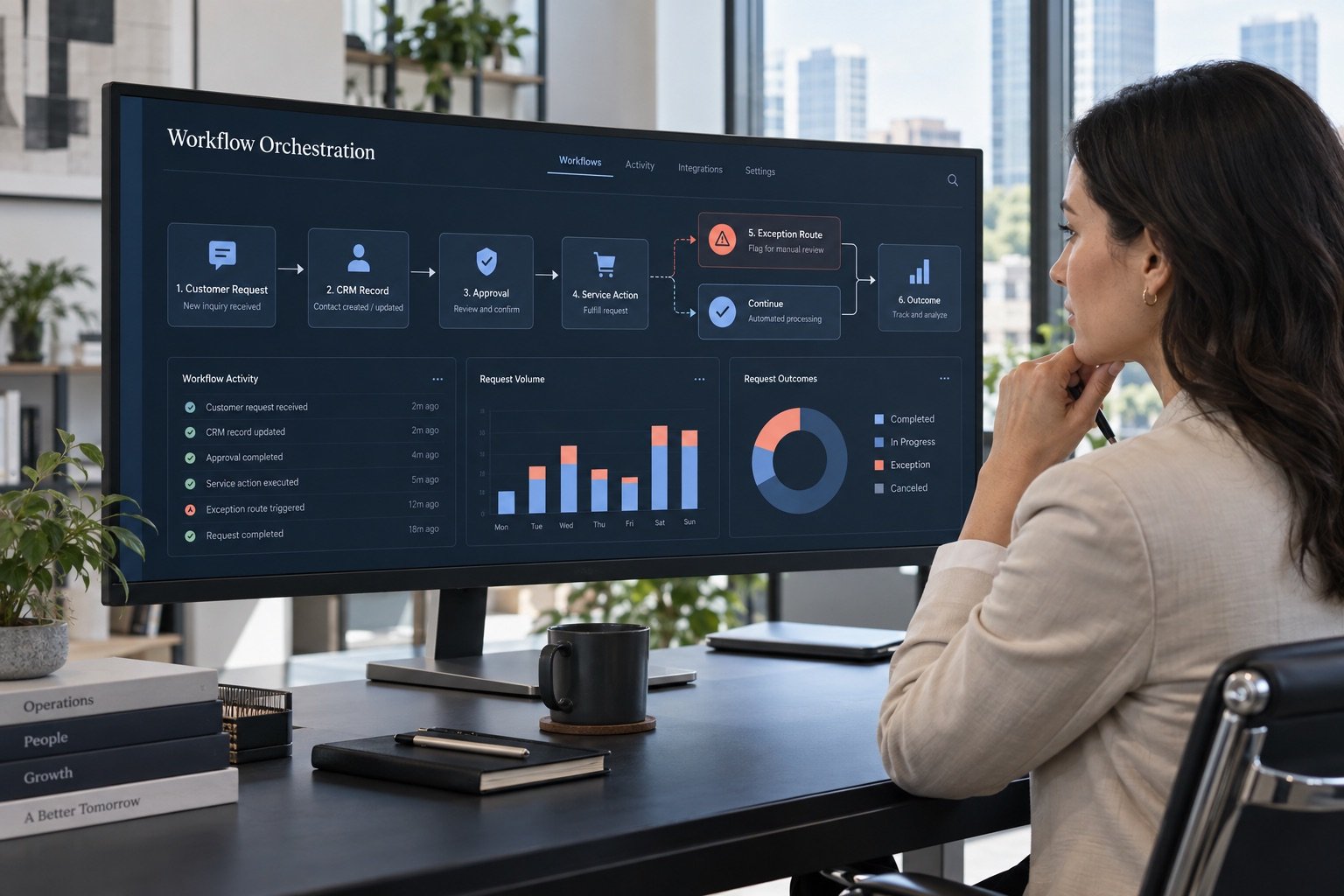
Workflow automation coordinates a repeatable business process across people, rules, AI, and connected systems. The design should show what starts the work, what information is required, who approves important steps, and how failures are handled.
A form, message, order, schedule, record update, or approved user action starts the process.
The workflow retrieves the minimum approved customer, product, service, policy, or operational information needed.
Deterministic rules and bounded AI classify, validate, summarize, draft, or recommend the next step.
Owners review exceptions, customer commitments, sensitive updates, and decisions with meaningful consequences.
Approved records, notifications, tasks, CRM fields, or connected applications are updated with traceable state.
Completion, delay, exception, response time, and business outcome are captured for monitoring and improvement.
Connected Handoffs
Collect the request, identify missing details, and give the customer a clear next step.
Create or update the approved CRM, ecommerce, support, or operational record.
Apply known rules, use AI only where useful, and route consequential decisions to a person.
Complete approved steps, notify the right people, and preserve a visible record of what happened.
Best-Fit Workflows
Validate inquiry details, classify service fit, update CRM context, assign an owner, and prepare follow-up.
Organize requests, retrieve approved answers, track status, and escalate uncertain or sensitive cases.
Coordinate order signals, catalog tasks, customer messages, fulfillment exceptions, and internal notifications.
Collect approved data, check thresholds, create recurring summaries, and alert owners when review is required.
Implementation Process
Document the current process, volume, delays, rework, owners, and exceptions.
Define triggers, required context, decisions, handoffs, permissions, and outcomes.
Test the smallest useful workflow against real examples and failure conditions.
Integrate approved systems with least-privilege access, logs, and fallbacks.
Track completion, response time, exceptions, adoption, quality, and business value.
Operational Safeguards
A production workflow needs visible ownership and a safe response when data is missing, an integration is unavailable, a rule conflicts, or AI confidence is insufficient.
AI workflow automation coordinates a repeatable process across rules, approved AI tasks, connected systems, and human review. It defines how work starts, what context is required, which actions are permitted, where people approve decisions, and how exceptions are handled.
A workflow coordinates a defined sequence of events, rules, handoffs, and system actions. An AI agent is designed for a bounded job that may interpret context and choose among permitted steps. A workflow may include an agent, but it does not require one.
Depending on available APIs and permissions, workflows may connect websites, ecommerce platforms, CRM tools, support systems, email, analytics, databases, approved documents, and internal applications. Feasibility is confirmed before implementation.
A production design should include timeouts, retries, alerts, logs, manual fallbacks, and an accountable owner. Missing data, unavailable integrations, conflicting rules, or low-confidence AI output should route to a visible exception path.
Useful measures may include response time, completion rate, manual touches, exception rate, rework, qualified lead routing, customer resolution time, adoption, and another business outcome defined for the specific process.
Bring One Real Process
Share the trigger, systems, people, recurring decisions, exceptions, and desired outcome. GHL will map whether workflow automation, an AI agent, conventional integration, or process redesign is the appropriate path.